How to Optimize for ChatGPT Search: A Technical Checklist
To optimize for ChatGPT search, let OpenAI reach and read your pages. Allow OAI-SearchBot in robots.txt (GPTBot only covers AI training). Check that Cloudflare or your WAF is not blocking OpenAI's crawlers, and keep key pages indexed in Bing, widely reported as one of ChatGPT's search sources. Serve core content in raw HTML and confirm access in server logs.
This guide shows how to optimize for ChatGPT search with a technical checklist built from OpenAI's own crawler docs. It covers which bot does what, four robots.txt setups, the Cloudflare settings that block crawlers without telling you, the Bing question, JavaScript rendering and how to prove access in logs. Each core section ends with a check you can run today.
What can technical optimization do for ChatGPT search, and what can it not?
Technical work makes a page eligible. It lets OpenAI fetch the page, read it and keep it on hand for search answers. It does not decide whether ChatGPT picks your page for a given prompt.
That choice happens at answer time, and answers change from run to run. Two people asking the same question can see different sources. So treat this checklist as the floor, not the finish line. If the floor is broken, nothing you write above it can be cited.
There is no ranking factor list here, because OpenAI does not publish one. What OpenAI does publish is how its crawlers behave and how to control them. That is what this guide uses.
Check today: pick five pages you would most like ChatGPT to cite. You will run every check below against those five URLs.
GPTBot, OAI-SearchBot and ChatGPT-User: which OpenAI bot does what?
OpenAI runs separate agents for separate jobs. OAI-SearchBot is for search, GPTBot is for model training and ChatGPT-User handles visits a person triggers inside ChatGPT. Each one is controlled on its own, which is the key to every decision below.
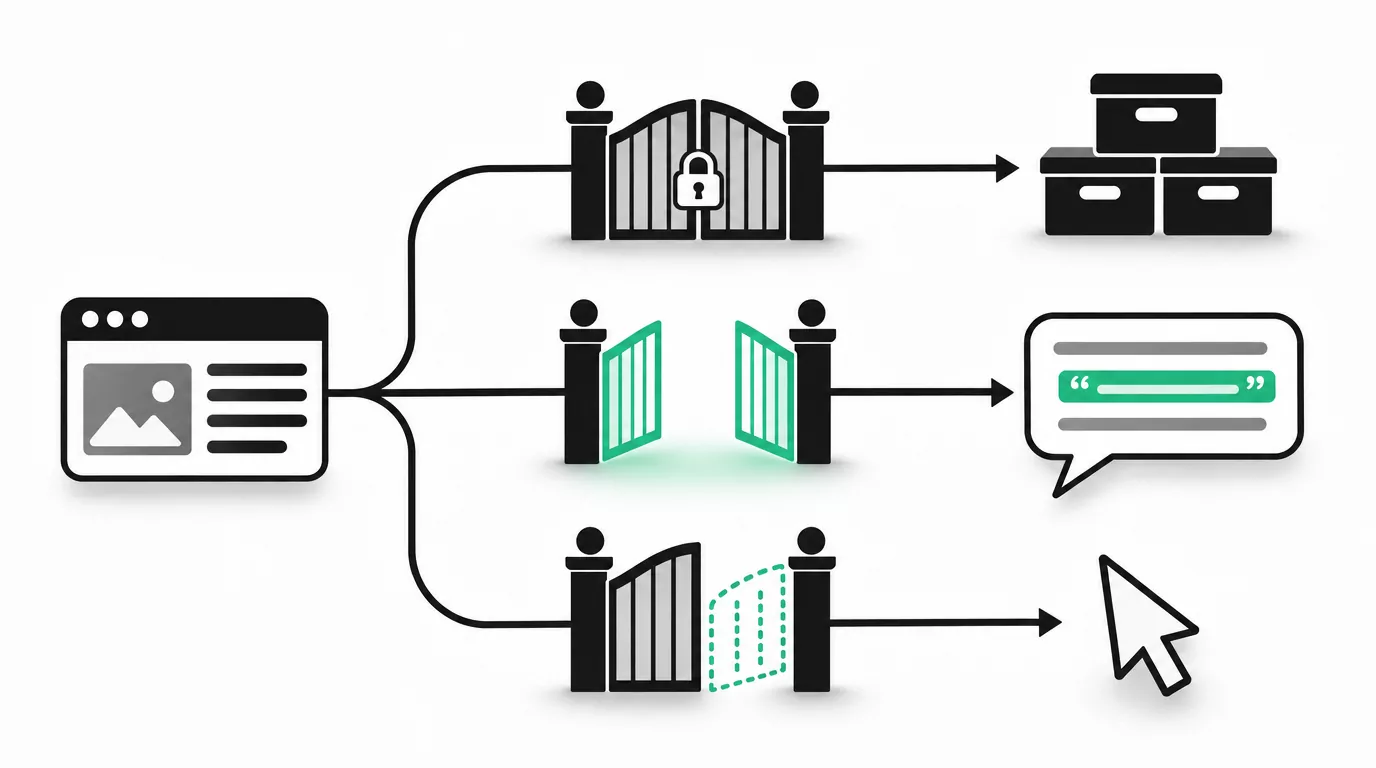
GPTBot), search (OAI-SearchBot) and user-triggered fetches (ChatGPT-User).Here is how they compare, based on OpenAI's crawler overview as of November 2026.
| User agent | Purpose per OpenAI | Does robots.txt apply? | Effect of blocking on ChatGPT search | Published IP file |
|---|---|---|---|---|
OAI-SearchBot |
Surfaces websites in ChatGPT's search features | Yes | Pages are not shown in search answers, though they can still appear as navigational links | searchbot.json |
GPTBot |
Crawls content that may be used to train foundation models | Yes | None. Disallowing it only signals "do not train on this" | gptbot.json |
ChatGPT-User |
Visits a page when a user's request needs it | May not apply, since a person starts the visit | None. OpenAI says it is not used to decide search inclusion | chatgpt-user.json |
A fourth agent, OAI-AdsBot, only visits pages submitted as ads on ChatGPT to check their safety. Its data is not used for training, and it has its own IP file at adsbot.json.
A few details from the same page matter for planning:
-
Settings are independent. Blocking
GPTBotdoes not touchOAI-SearchBot. Some guides claim that blockingGPTBotremoves you from ChatGPT's live search. OpenAI's docs say otherwise. -
OpenAI recommends allowing
OAI-SearchBotand requests from its published IP ranges if you want to appear in search results. - One crawl may serve both uses. If you allow both bots, OpenAI may reuse a single crawl to avoid fetching twice.
-
Changes take time. OpenAI says it can take about 24 hours after a
robots.txtupdate for search to adjust.
Check today: open your live robots.txt and write down which of the three agents it names. If it names none, every OpenAI bot falls under your User-agent: * rules.
Which robots.txt policy should you pick? Four per-bot setups
Most sites fit one of four policies. The most common request is the second one: keep content out of AI training but stay visible in ChatGPT search. Pick the policy first, then write the file to match it.
Policy 1: Allow search and training
If you are fine with both uses, you need no OpenAI rules at all. Still, check that a security plugin or an old template has not written a blanket block. If it has, make your choice explicit:
User-agent: OAI-SearchBot
Allow: /

User-agent: GPTBot
Allow: /
Policy 2: Block training, stay in ChatGPT search
This is the setup legal teams usually ask for. It tells OpenAI not to train on your pages while keeping them eligible for search answers.
User-agent: GPTBot
Disallow: /

User-agent: OAI-SearchBot
Allow: /
Because the settings are independent, this does not cost you search visibility. Just remember the rule about groups, covered in the mistakes section below.
Policy 3: Keep private or thin sections out of search
You may want search access for your guides but not for login pages, internal search results or thin tag archives. Add path rules inside the OAI-SearchBot group:
User-agent: OAI-SearchBot
Allow: /
Disallow: /account/
Disallow: /search/
Disallow: /tag/
Know the limit of this. OpenAI says opted-out pages can still appear as navigational links, so a disallow is not the same as being invisible. For pages that must never show up anywhere, protect them with a login rather than relying on robots.txt.
Policy 4: Opt out of ChatGPT search entirely
Some publishers block search too. The rule is simple:
User-agent: OAI-SearchBot
Disallow: /
What you give up is real: no citations in search answers and no referral visits from them. Before you make this change, track ChatGPT referrals in GA4 so you can see what that traffic was worth. Then compare the weeks before and after. That gap is a rough signal, not proof of cause.
Three robots.txt mistakes that break the decision
-
Forgetting group precedence. Under RFC 9309, a crawler follows the group that names its user agent. It falls back to
User-agent: *only if no group names it. So once you add anOAI-SearchBotgroup, your*rules stop applying to it. Repeat any path disallows you still want inside the new group. -
Fixing only one host. A
robots.txtfile covers one host. Your www host, your bare domain and each subdomain (docs, blog, help) need their own file. -
Serving errors. RFC 9309 says that if
robots.txtcannot be reached because of a server error, crawlers should assume a full disallow. Arobots.txtthat returns 5xx can quietly shut every bot out.
Check today: fetch /robots.txt on every host you own and confirm each returns 200. Then read the OpenAI groups line by line against the policy you picked.
Which Cloudflare and WAF settings silently block OpenAI's crawlers?
A clean robots.txt means little if the edge blocks the request first. On Cloudflare, three features can do this: AI Crawler and Agent access policies, managed robots.txt and AI Crawl Control. Other WAF rules can block crawlers too. Everything below reflects Cloudflare's docs as of November 2026.
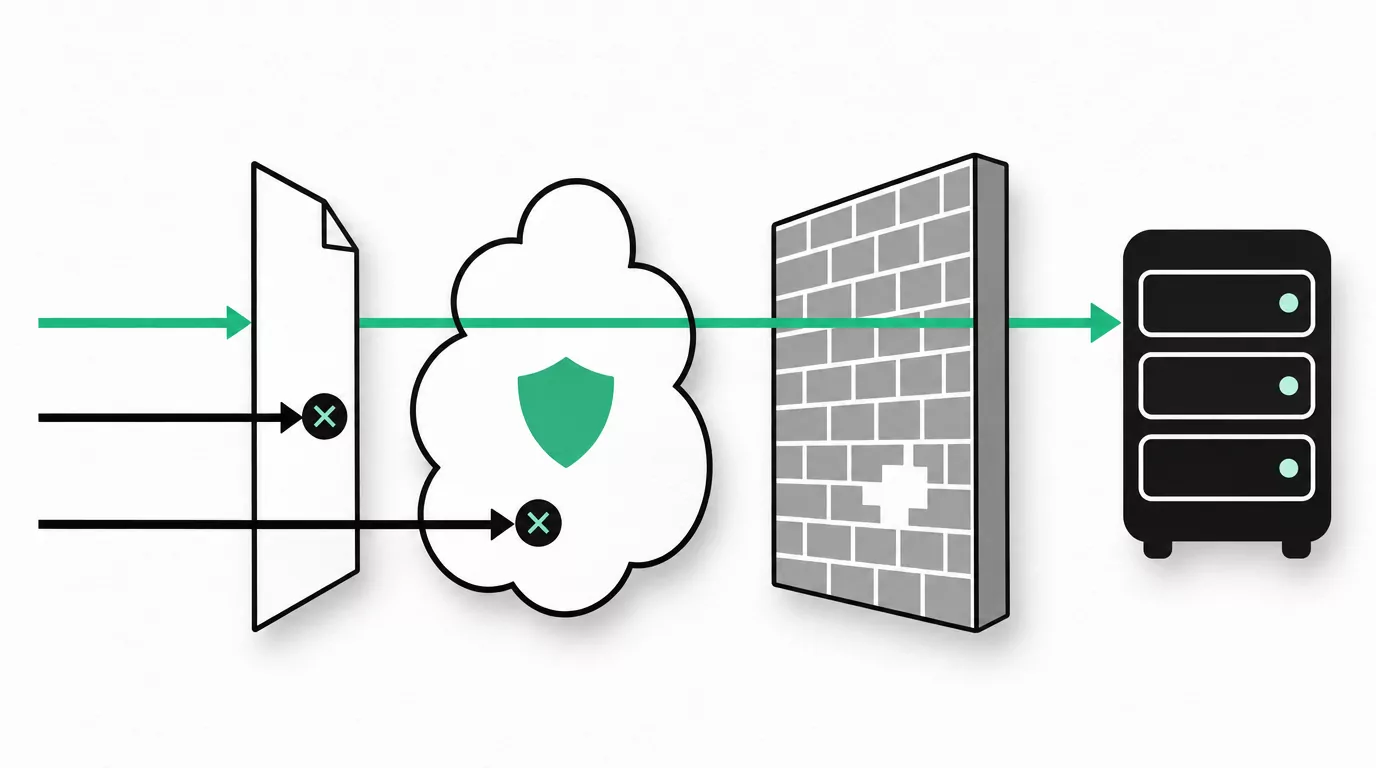
AI Crawler and Agent access policies
Cloudflare's AI Crawler and Agent access policies live under Security, then Settings, filtered by Bot traffic. They sort crawlers into three behaviors:
- Search: crawlers that collect or index content to answer questions later.
- Agent: automated activity acting in real time for a person, such as chat fetch bots and browser agents.
- Training: crawlers that take content to train or fine-tune a model.
Each behavior can be set to Block, Block on pages with ads or Allow. Training has a fourth option, Disallow, which works through robots.txt. Cloudflare says new domains default to Allow for Search, Agents and Training, and any domain can be changed later.
Two details catch people out. First, Training actions also apply to mixed-purpose crawlers used for both search and training. So a Training block can hit more than pure training bots.
Second, an Agent block can stop user-triggered fetches, the kind ChatGPT-User makes. Personal Agents inherit the Agents policy by default.
Do not guess how Cloudflare classifies each OpenAI agent. Look it up on Cloudflare's verified bots page or in Cloudflare Radar before you change a setting.
Managed robots.txt and Bot Preference Sync
Cloudflare can edit your robots.txt for you. With managed robots.txt, Bot Preference Sync adds directives based on your access policies. It also adds a Content Signals Policy.
This only happens when sync is on and at least one policy is set to Block, Block on pages with ads or Disallow. If every policy allows access, your file is served unchanged. With Training set to Disallow and sync on, Cloudflare also blocks training crawlers at the edge, except mixed-purpose ones.
The practical point: the file crawlers see may differ from the file in your repo. Always check the copy served at the edge. Also note that OpenAI's crawler page does not mention Content Signals, so rely on user-agent groups to state your OpenAI choices.
AI Crawl Control
AI Crawl Control lists AI crawlers one by one and lets you set Allow or Block for each. Unlike robots.txt, which is only a request, a Block here is enforced at the edge.
The crawler list shows allowed and unsuccessful requests per crawler, plus a count of robots.txt violations. Unsuccessful requests can come from any rule or error, not only an AI Crawl Control block. If OAI-SearchBot shows unsuccessful requests while you meant to allow it, something else at the edge is stopping it.
Other blockers to review
- Bot Fight Mode and Super Bot Fight Mode
- Custom WAF rules, rate limits and country blocks
- JavaScript or managed challenges on whole sections of the site
- Other layers outside Cloudflare, such as AWS WAF, Vercel Firewall or a WordPress plugin like Wordfence
Settings and defaults differ by product and plan, so review each one rather than assume. One warning: sending a curl request with a fake OAI-SearchBot user agent proves little. Many WAFs verify bots by IP address, so your test request is treated differently from the real crawler. Logs are the real proof.
Check today: open your Cloudflare zone, note the action for Search, Agents and Training, then fetch the live robots.txt to see whether Cloudflare added anything to it.
Does ChatGPT search use Bing?
Bing is widely reported as one of the search sources behind ChatGPT search, and the two companies have a long partnership. But OpenAI does not describe ChatGPT search as Bing, and its crawler docs make no such claim. Treat Bing coverage as one useful input, not as a copy of ChatGPT's results.
Some pages state flatly that ChatGPT search simply is Bing. That overstates it. ChatGPT also runs its own crawler, OAI-SearchBot, and partners directly with content providers. A page that ranks well in Bing is not promised a ChatGPT citation, and Bing rank is not ChatGPT rank.
Still, being missing from Bing is a gap worth closing, since it is cheap to fix. Use this list as basic Bing index hygiene:
- Verify your site in Bing Webmaster Tools.
- Submit your XML sitemaps there.
- Inspect your five priority URLs and confirm they are indexed.
- Fix any crawl errors reported for
bingbot. - Make sure your WAF does not challenge or block
bingbot. - Optionally, ping new and changed URLs with IndexNow.
Check today: run a URL inspection in Bing Webmaster Tools for each of your five pages and note any that are not indexed.
Can ChatGPT's crawlers read JavaScript? Put the answer in the HTML
The best public evidence says no. Vercel's study "The rise of the AI crawler" (December 17, 2024) found that none of the major AI crawlers it measured rendered JavaScript, including OpenAI's. They fetched JavaScript files but did not run them.
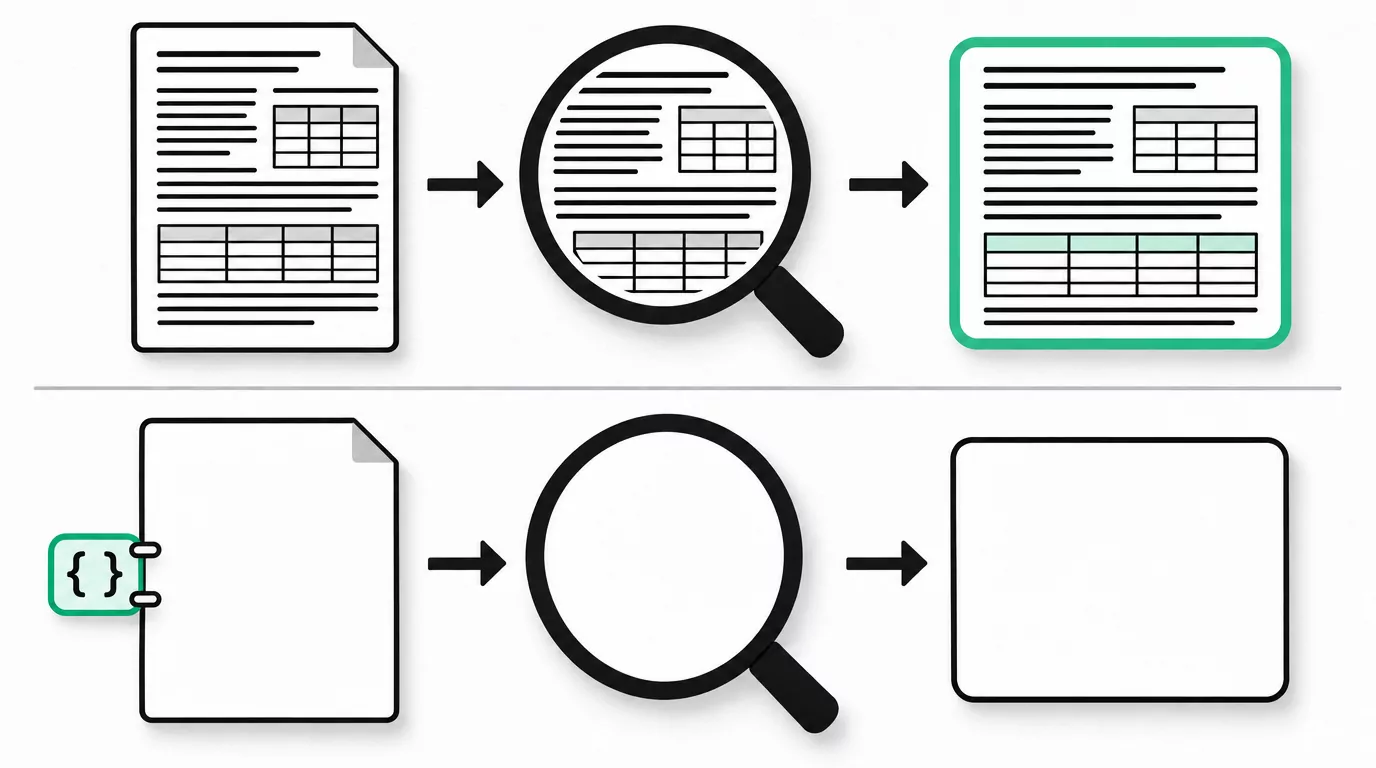
That study is almost two years old, and crawler behavior can change. OpenAI's docs do not say whether OAI-SearchBot renders JavaScript. The safe choice is to assume it does not and put the content you want cited in the first HTML response.
Here is how to check your own pages:
- Run
curl -s YOUR_PAGE_URL(swap in a real page address) or open view-source in your browser. - Search the raw output for the exact copy you want cited: product names, specs, prices, FAQ answers and comparison tables.
- Load the page with JavaScript turned off in your browser's developer tools and see what remains.
- Look for content hidden behind tabs, accordions or "load more" buttons that only fetch data on click.
- Move missing content to server-side rendering, static generation or prerendering.
Basic page health matters too. Key pages should return 200, not soft 404s. Check for accidental noindex tags and keep redirect chains short.
Check today: view the source of your five pages and confirm the key answer on each one is in the raw HTML.
How do you confirm OpenAI's crawlers can reach you?
Your server or CDN logs are the only direct proof. Filter for OpenAI's user agents, confirm the requests come from OpenAI's published IP ranges and check the status codes they get. A clean result means access works. It does not mean you will be cited.
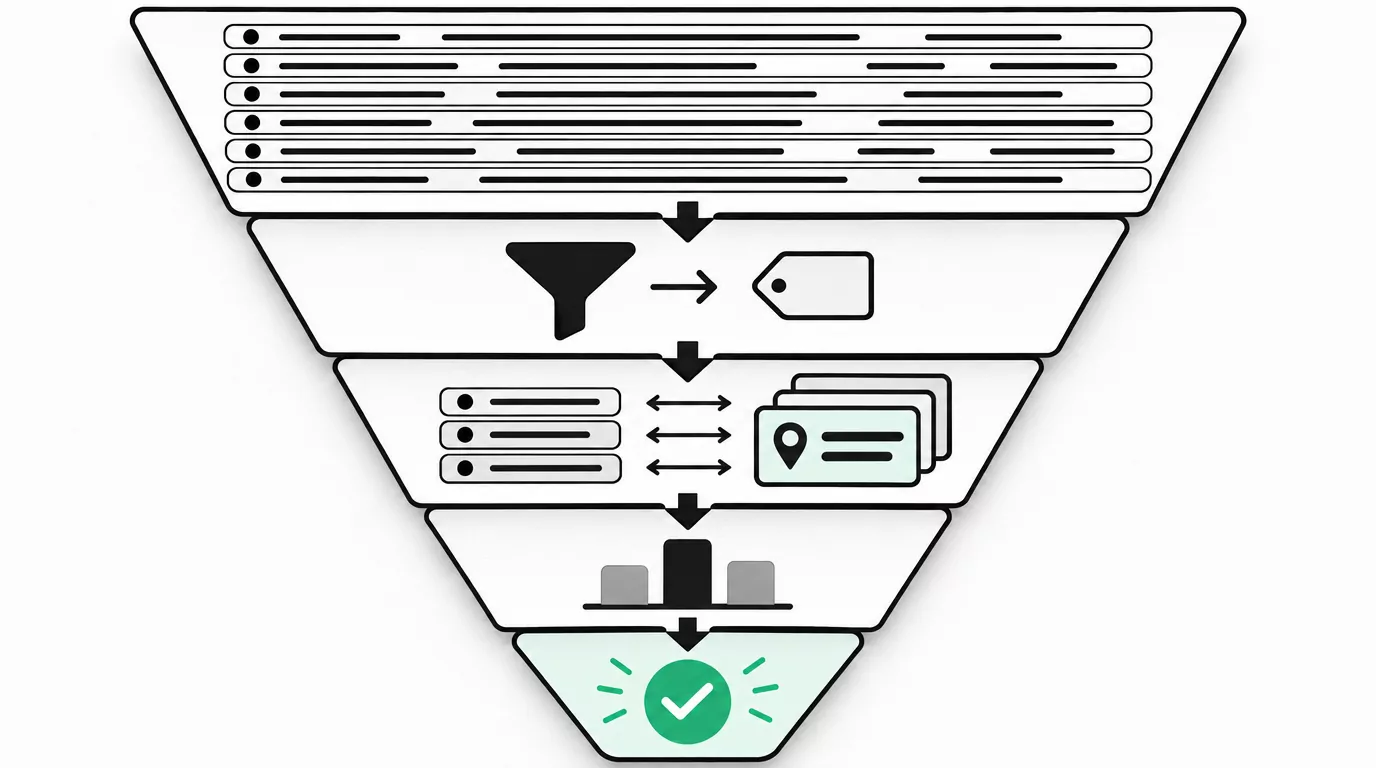
-
Filter by user agent. Pull requests containing
OAI-SearchBot,GPTBotorChatGPT-User. -
Verify the source IPs. Compare them with
searchbot.json,gptbot.jsonandchatgpt-user.json. Anything outside those ranges is an imposter using the name. - Tally status codes per bot. You want 200s. Watch for 403, 429, 503 or challenge pages.
-
List the paths requested. Confirm the bots reach your priority pages, and that
robots.txtitself returns 200. -
Re-check after a change. Look again about 24 hours after any
robots.txtedit.
Here is a short example for a standard access log. It is an illustration only, so adjust the field number to match your log format.
grep "OAI-SearchBot" access.log | awk '{print $9}' | sort | uniq -c | sort -rnThis prints how many times each status code was returned to OAI-SearchBot. Run it again for GPTBot and ChatGPT-User. On Cloudflare, AI Crawl Control shows allowed and unsuccessful requests per crawler, which is a quick first look.
Check today: run the filter on the last seven days of logs and write down the status code mix for each OpenAI bot.
How to optimize for ChatGPT search: the full technical checklist
Use this table as your ChatGPT search optimization pass. Each row says where to look and what a pass looks like.
| Check | Where to check | What pass looks like |
|---|---|---|
| Policy decided per bot | Internal decision with legal or leadership | Written choice for search, training and user fetches |
OAI-SearchBot allowed |
Live robots.txt
|
Allowed on every page you want cited |
GPTBot matches your training choice |
Live robots.txt
|
Allow or Disallow, on purpose |
| Group precedence handled | Live robots.txt
|
Path disallows repeated inside each OpenAI group |
| Edge file matches intent |
robots.txt fetched from the public URL |
Same rules as the policy you chose |
robots.txt returns 200 |
Every host and subdomain | 200 on all, no 5xx |
| Cloudflare access policies reviewed | Security, Settings, Bot traffic | Search, Agents and Training set on purpose |
| No unintended crawler blocks | AI Crawl Control | No unexplained unsuccessful requests for OAI-SearchBot
|
| WAF and bot modes reviewed | WAF rules, Bot Fight Mode, rate limits | No rule challenges verified OpenAI bots |
| Bing coverage | Bing Webmaster Tools | Site verified, key URLs indexed |
| Core content in raw HTML | View-source or curl | Key answers present without JavaScript |
| Access proven in logs | Server or CDN logs | 200s for OAI-SearchBot from verified OpenAI IPs |
What happens after your site is eligible?
Eligibility is not selection. Once OpenAI can reach and read your pages, whether ChatGPT mentions or cites you depends on the prompt, the sources it finds and the run. That has to be measured across many prompts and many runs, not judged from one screenshot.
Be careful with quick fixes here. An llms.txt file and schema markup are reasonable hygiene, but OpenAI's crawler docs do not mention llms.txt, and neither has a measured visibility effect. Neither is a ChatGPT lever.
The next layer is content and sources, which sits outside this checklist. Pages with answer-first sections and self-contained passages are easier to quote. The third-party sites that ChatGPT already cites in your category also shape what it says about you. For a local business, check those sources city by city to see which businesses ChatGPT recommends. If Google's AI Overviews get a fact about your brand wrong, that is a separate fix: see how to correct wrong information in AI Overviews.
Once crawlers can reach you, the open question is whether AI answers actually mention and cite you. MentionForce is built for exactly this: tracking where AI answers mention your brand, how you compare with competitors, and which sources those answers cite. Follow MentionForce updates on the blog.
Frequently Asked Questions
Does blocking GPTBot remove my site from ChatGPT search?
No. OpenAI says each crawler setting is independent of the others. GPTBot covers training, while OAI-SearchBot controls whether your pages can appear in ChatGPT search answers.
Is there a free way to optimize for ChatGPT search?
Yes, for the technical side. A robots.txt review, Bing Webmaster Tools, a view-source check for raw HTML and a server log check all cost nothing. None of them guarantees a citation, but they remove the reasons you could not be cited.
How long does a robots.txt change take to affect ChatGPT search?
OpenAI says it can take about 24 hours for its systems to adjust after a robots.txt update. Check your logs a day after the change to confirm the bots behave as expected.
Does Cloudflare block ChatGPT by default?
As of November 2026, Cloudflare's docs say new domains default to Allow for Search, Agents and Training. Any domain can be changed afterward, so check Security, Settings and the AI Crawler and Agent access policies on your own zone. Remember that a Training block also applies to mixed-purpose crawlers.
Do I need llms.txt to appear in ChatGPT search?
No. OpenAI's crawler docs do not mention llms.txt. Adding one is harmless hygiene at most, and it does not replace allowing OAI-SearchBot or serving content in HTML.